 Cradle Clock
Baby tracker for iPhone and iPad
Log the night with one hand.
Feeds, sleep and diapers in a single press, drag and release. The whole day sits on a clock, so “when did she last eat?” is answered at a glance.
Free for 10 days, then $6.99 once. No subscription.
How logging works
One gesture, about a second.
Built for the moments when one arm is full and the lights are off.
Press and hold
Hold the centre of the clock or the Log Activity button. The wheel of activities opens under your thumb.
Drag toward it
Slide toward Breastfeed, Bottle, Sleep or Diaper. A light tap of haptic feedback marks each one you cross.
Let go
It’s logged at the current time, with Undo right there. Adjust the time or length later with a drag.
Inside the app
What you see at 3 AM.
Features
Everything the first months need, nothing they don’t.
Your day on a clock
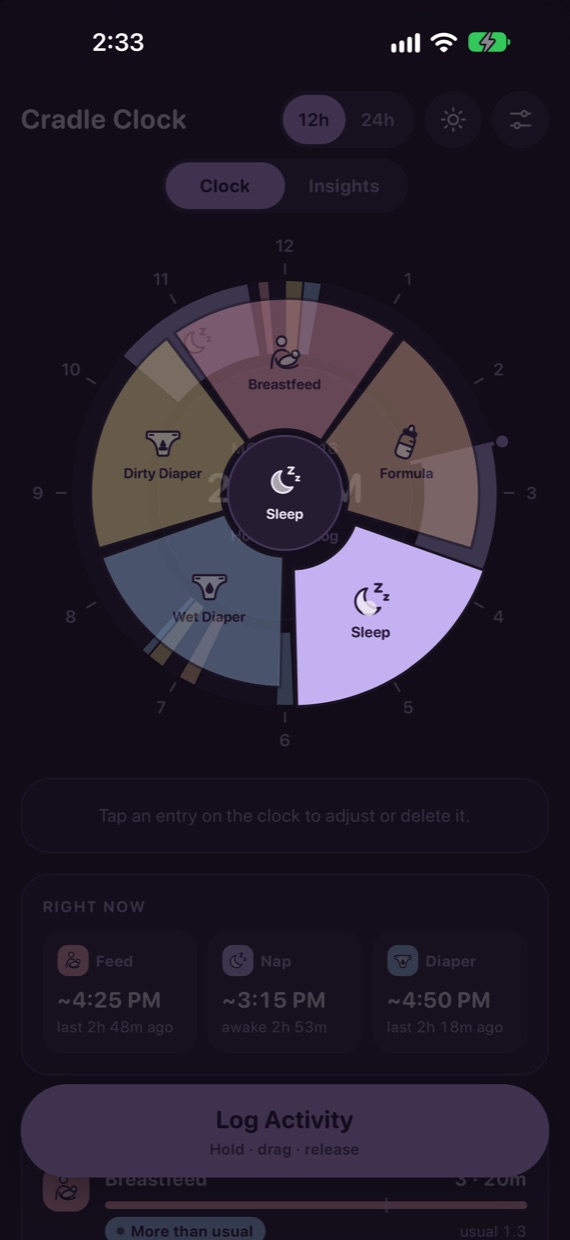
The last 12 or 24 hours as a dial. Sleep shows as arcs, feeds and changes as marks.
Know what’s due next
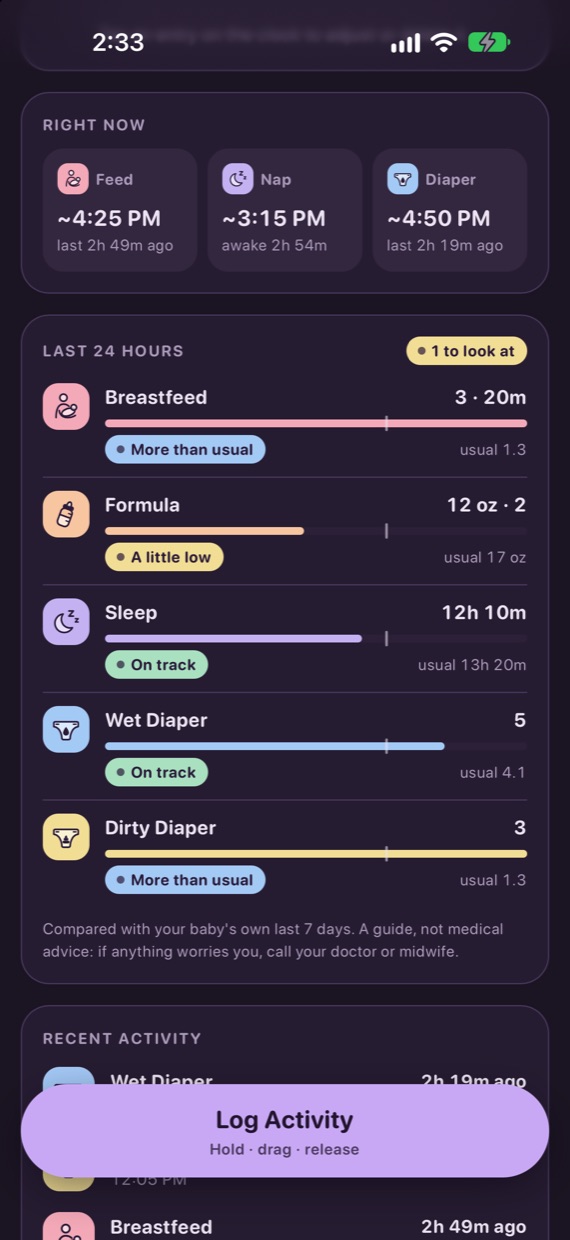
Feed, nap and diaper tiles light up when one is due, based on your baby’s usual gaps.
The last 24 hours
Feeds, sleep and wet diapers against your baby’s own last week, marked On track or worth a look.
Bottles in ounces
Log formula in half-ounce steps. Two bottles within five minutes count as one feed.
Fix it with a drag
Tap an entry to move it or change its length. Nothing changes until you press Confirm.
Backups you own
Export a backup to Files to move to a new phone, or a spreadsheet for your own records.
Privacy
Your baby’s records never leave your phone.
- No account to create, nothing to sign in to.
- No analytics, no ads and no tracking of any kind.
- Entries are stored on your device only. We have no servers that could hold them.
- Backups go only where you send them.
App Store privacy label
Data Not Collected
The developer does not collect any data from this app. Purchases are handled entirely by Apple.
Price
Try it for 10 days. Pay once if it helps.
First 10 days
Free
Every feature works. The trial starts when you choose, the first time you log, and nothing is charged automatically when it ends.
After that
$6.99 once
Keep logging for good. No subscription. With Family Sharing, one purchase also unlocks the app for your family’s Apple Accounts.
If you don’t buy, nothing is taken away: your history, insights and backups stay available. Only new logging stops.
Questions
Common questions
Is this a subscription?
No. It’s free for 10 days, then a single payment of $6.99 (or the local equivalent). There is nothing to cancel.
Can my partner use it too?
Yes, on their own iPhone. With Family Sharing turned on, your purchase unlocks it for them as well. Each phone keeps its own log: entries don’t sync between phones, because nothing is sent to a server.
What happens when I get a new phone?
Restoring your iPhone from an iCloud or computer backup brings your entries with it. You can also export a Cradle Clock backup file from Settings and import it on the new phone.
Does it give medical advice?
No. Cradle Clock compares each day with your baby’s own recent days, not with charts or norms. If anything worries you, call your doctor or midwife.
Is there an Android version?
Cradle Clock is on iPhone and iPad for now.